
1. Visit the URL https://webmail.<domain_name> (not http) and login into your domain’s webmail using a desktop/laptop browser (mobile mode does not currently support password resets).
.png)
2. Hover on topmenu Others tab, then My Account and click on Password.
.png)
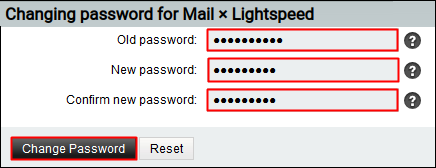
3. A. Type your Old Password.
B. Type New Password, retype Confirm New Password and click Change Password button.
A green popup in the bottom right corner will confirm you that the password reset successfully.

A yellow popup in the bottom right corner means something went wrong, but you should be able to fix it:

A red popup means a system problem – please contact helpdesk@lightspeed.com.sg for assistance:
